Free

Ship Inspection Report SIRE Program Checklist

Ship Inspection Report SIRE Program Checklist

Ship Inspection Report SIRE Program Checklist

Business, Life safety

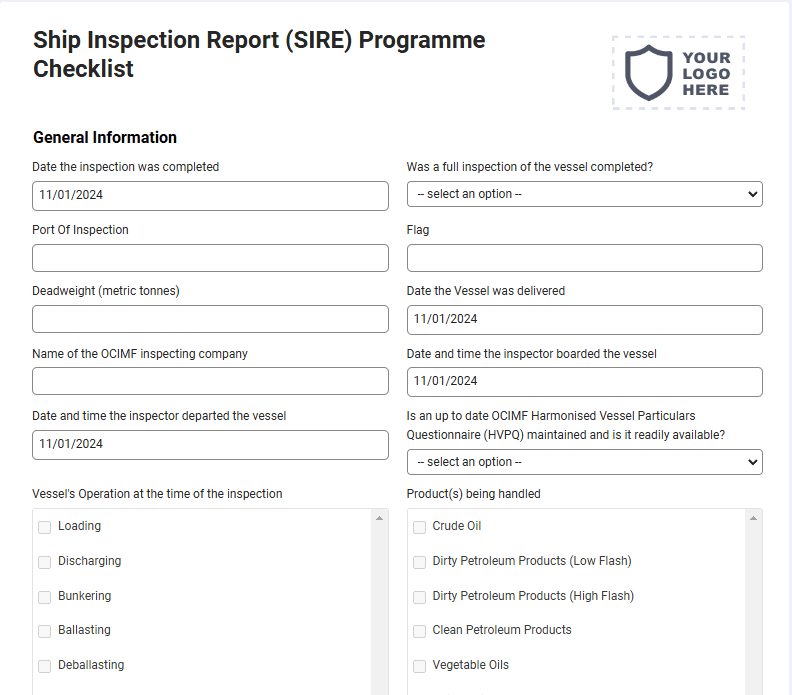
The checklist is called a vetting is carried out by oil majors on tanker vessels to ascertain whether they are well managed and maintained, thereby addressing concerns about sub-standard shipping. This is a mobile Ship Inspection Report (SIRE) Programme Checklist compatible with iOS and android mobile devices.

Please complete the qualifying fields on the next page to get full access to a copy of this form on your mobile phone, tablet or as a downloadable PDF.
Compatible with

How it works

1

Activate your form

Sign up to activate your form(s), add your logo and company information. You’re all set to go.

2

Fill out on your device

Download and sign in to the mobile app to fill out forms on the go from any tablet or mobile device.

3

Save & store anywhere

All your form submissions are stored in your secure account for you and your team access, share, or download.

Questions and answers

FAQs about Contractor’s Material and Test Certificate for Underground Piping Form - NFPA 25

Can I customize this Ship Inspection Report SIRE Program Checklist?

Yes. Joyfill provides a drag-and-drop form builder to customize this Ship Inspection Report SIRE Program Checklist to fit your brand and preferred layout. This includes: adding your logo, company information, remove fields, and much more.

Can I customize this Ship Inspection Report SIRE Program Checklist?

Yes. Joyfill provides a drag-and-drop form builder to customize this Ship Inspection Report SIRE Program Checklist to fit your brand and preferred layout. This includes: adding your logo, company information, remove fields, and much more.

Is this Ship Inspection Report SIRE Program Checklist mobile-friendly?

Yes. All forms are mobile optimized and fillable from any mobile or tablet devices. Just activate this Ship Inspection Report SIRE Program Checklist, then download the Joyfill mobile from the Apple App Store or Google Play Store. Your newly active form will be waiting for you there. You can also active additional forms from the form library inside.

Is this Ship Inspection Report SIRE Program Checklist mobile-friendly?

Yes. All forms are mobile optimized and fillable from any mobile or tablet devices. Just activate this Ship Inspection Report SIRE Program Checklist, then download the Joyfill mobile from the Apple App Store or Google Play Store. Your newly active form will be waiting for you there. You can also active additional forms from the form library inside.

Where are my form submissions stored online?

When you first active the Ship Inspection Report SIRE Program Checklist, Joyfill requires you to create a free account. This account is where all your forms and submissions are stored for you to access at anytime from the cloud on any device.

Where are my form submissions stored online?

When you first active the Ship Inspection Report SIRE Program Checklist, Joyfill requires you to create a free account. This account is where all your forms and submissions are stored for you to access at anytime from the cloud on any device.

Can I fill out the Ship Inspection Report SIRE Program Checklist online?

Yes. All form submissions are stored online in the secure Joyfill cloud by default. You can login to access or download a local copy of records at anytime.

Can I fill out the Ship Inspection Report SIRE Program Checklist online?

Yes. All form submissions are stored online in the secure Joyfill cloud by default. You can login to access or download a local copy of records at anytime.

Can I fill out the Ship Inspection Report SIRE Program Checklist offline?

Yes. You can complete this Ship Inspection Report SIRE Program Checklist from the Joyfill mobile app even without an internet connection. Your entries save on your device and can be sync'd to your account once you're back online.

Can I fill out the Ship Inspection Report SIRE Program Checklist offline?

Yes. You can complete this Ship Inspection Report SIRE Program Checklist from the Joyfill mobile app even without an internet connection. Your entries save on your device and can be sync'd to your account once you're back online.

Can I download this Ship Inspection Report SIRE Program Checklist as a PDF file?

Yes. All filled out forms can be downloaded as a PDF file for you to store offline or in another cloud service, including: dropbox, Google Drive, OneDrive, etc,.

Can I download this Ship Inspection Report SIRE Program Checklist as a PDF file?

Yes. All filled out forms can be downloaded as a PDF file for you to store offline or in another cloud service, including: dropbox, Google Drive, OneDrive, etc,.

Is it free to fill out this Ship Inspection Report SIRE Program Checklist?

Yes. You can use Joyfill to fill out forms and documents for free, forever, up to a set number of submissions each month. If you hit the limit, upgrade your account to unlock more, or just wait until next month. No obligation.

Is it free to fill out this Ship Inspection Report SIRE Program Checklist?

Yes. You can use Joyfill to fill out forms and documents for free, forever, up to a set number of submissions each month. If you hit the limit, upgrade your account to unlock more, or just wait until next month. No obligation.

Can I print this Ship Inspection Report SIRE Program Checklist?

Yes. You can print a blank copy of this Ship Inspection Report SIRE Program Checklist to fill out by hand, or complete it digitally first and print the finished record. Printed and PDF versions keep the same layout, so your on-site copy matches what's stored in the cloud.

Can I print this Ship Inspection Report SIRE Program Checklist?

Yes. You can print a blank copy of this Ship Inspection Report SIRE Program Checklist to fill out by hand, or complete it digitally first and print the finished record. Printed and PDF versions keep the same layout, so your on-site copy matches what's stored in the cloud.

Can my whole team use this Ship Inspection Report SIRE Program Checklist?

Yes. Once you activate this Ship Inspection Report SIRE Program Checklist, your team can access and fill it out from their own devices under your account. Every submission is stored in one place, so team members are always collaborating from the same records.

Can my whole team use this Ship Inspection Report SIRE Program Checklist?

Yes. Once you activate this Ship Inspection Report SIRE Program Checklist, your team can access and fill it out from their own devices under your account. Every submission is stored in one place, so team members are always collaborating from the same records.

More about Ship Inspection Report SIRE Program Checklist

More about Ship Inspection Report SIRE Program Checklist

The Ship Inspection Report (SIRE) Programme Checklist is an essential tool used by oil majors to vet tanker vessels and ensure they meet high standards of management, maintenance, and safety. This checklist is part of the SIRE program, which focuses on addressing concerns about sub-standard shipping practices and ensuring that vessels are well-maintained and properly operated. The inspection covers various aspects of the vessel, including the condition of the hull, machinery, safety equipment, cargo handling systems, and environmental protection measures. It ensures that vessels comply with industry regulations and are capable of safely transporting oil and other hazardous materials, reducing the risks associated with shipping operations. The mobile version of the Ship Inspection Report (SIRE) Programme Checklist is compatible with iOS and Android devices, providing inspectors with a convenient and efficient way to carry out inspections directly from smartphones or tablets. With the mobile checklist, inspectors can document their findings in real time, take photos of any issues or discrepancies, and flag critical concerns that require immediate attention. This mobile approach streamlines the inspection process, improves the accuracy of reporting, and allows for quick communication between inspectors, shipping companies, and oil majors, ensuring that necessary corrective actions are taken without delay. By digitizing the Ship Inspection Report (SIRE) Programme Checklist, the process becomes more organized, consistent, and easily trackable. Inspection reports are automatically saved, enabling easy access to historical data, trend analysis, and compliance tracking. The digital format also eliminates the risk of lost paperwork and allows for immediate sharing of inspection results with relevant stakeholders. This ensures that any vessel deficiencies are addressed promptly, helping to maintain high safety standards, reduce environmental risks, and ensure the reliability of tanker vessels in the transportation of hazardous materials.
Forms related to the Ship Inspection Report SIRE Program Checklist

Forms related to the Ship Inspection Report SIRE Program Checklist

Business, Life safety, Service, Maintenance

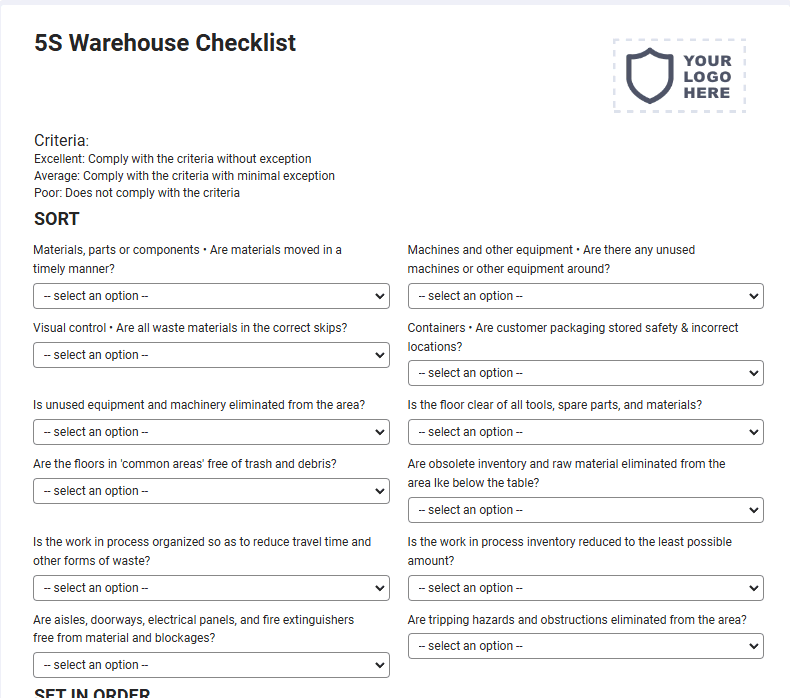
5S Warehouse Checklist

This 5S Warehouse audit checklist can be used as part of your warehouse safety to check if floors, loading docks, and storage areas are free from obstacles or blockages. This is a mobile 5S Warehouse Checklist compatible with iOS and android mobile devices and tablets.
Business, Life safety, Maintenance, Service

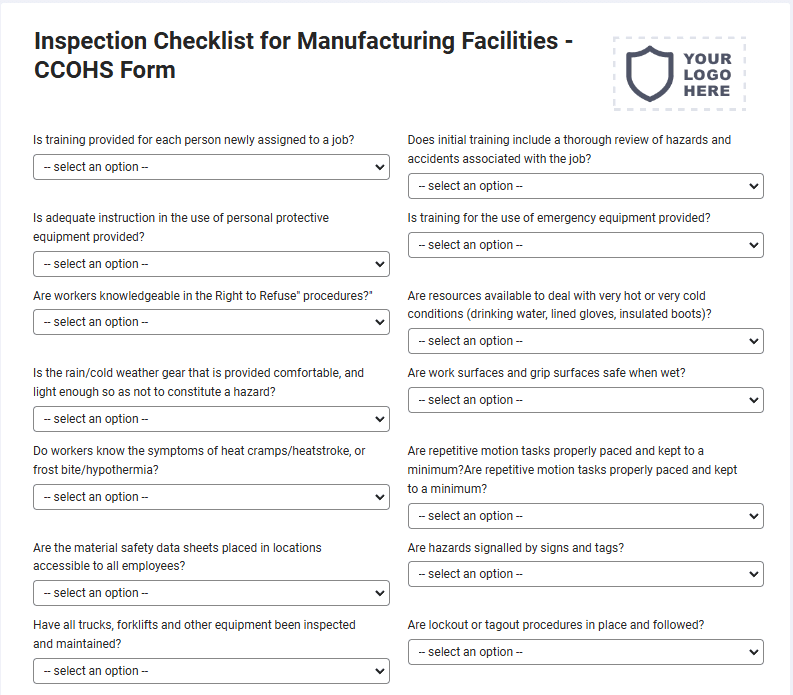
Inspection Checklist for Manufacturing Facilities - CCOHS Form

Manufacturing Facility means buildings and structures, including machinery and equipment, the primary purpose of tangible goods. This is a mobile Inspection Checklist for Manufacturing Facilities – CCOHS compatible with iOS and android mobile devices.
Maintenance, Business, Life safety, Service

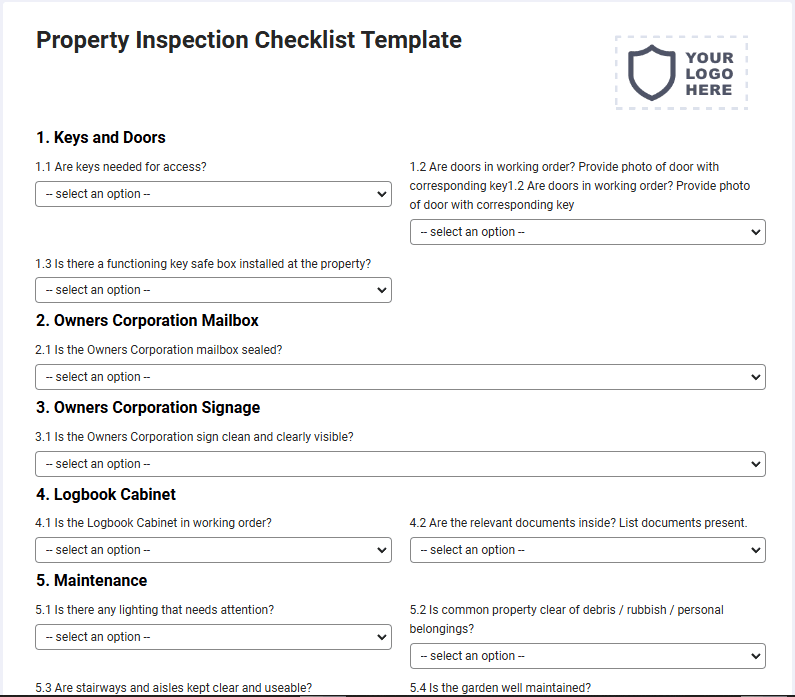
Property Inspection Checklist Template

The checklist inspects the property’s condition, it make sure that the property is in working condition. This is a mobile Property Inspection Checklist Template compatible with iOS and android mobile devices.

Get started - It's free forever!

Join thousands of field teams already saving hours on every job.

Free forever

No credit card required

Cancel anytime

Support included

Get started - It's free forever!

Join thousands of field teams already saving hours on every job.

Free forever

No credit card required

Cancel anytime

Support included

Get started - It's free forever!

Join thousands of field teams already saving hours on every job.

Free forever

No credit card required

Cancel anytime

Support included